
Billing
This information applies only when end-customer billing is enabled.
Remove Saved Payment Cards
Operators can now delete inactive payment cards from a customer's account, provided the card has no linked transactions. Active (default) cards and cards with transaction history are not eligible for removal. Read more here.
Pay Invoices Before the Due Date
Customers can now pay an invoice manually before it becomes due — both for manual payment methods and autopay. When paid early via autopay, the amount is added to available funds.
Network & Deployment
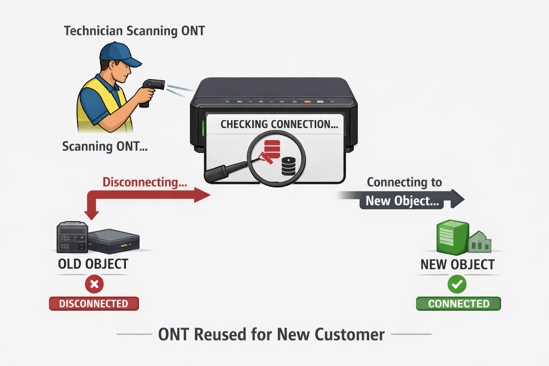
Reuse ONTs Across Objects Without Manual Disconnect
When a technician scans an ONT that is already connected to another object, the system now automatically disconnects it from the previous object and connects it to the new one. Logs are written on both the previous object and the ONT to record the change. Import and port operations show a validation warning if the ONT is already connected elsewhere.
This functionality is supported in both the Deployment Portal and FSM. It is also available in Admin via the Network Element page.
Area Filter in the Work Order Search
An Area field has been added to the location fields in the Work Order view, allowing you to filter work orders by area. This filter is only available if the Area feature is enabled in the system.
API & Webhook
MAC Address Added to Network Element in Partner API
The Partner API now includes the MAC address field when returning Network Element Data.
Create Disruptions by Object ID via API
The disruption endpoint in the Partner API now accepts Object IDs in addition to Network Element Names. Disruptions can be created using only Object IDs, only Network Element Names, or a combination of both.
List Endpoint for Promotions in Partner API
A new GET endpoint returns all Promotions along with the Areas they are active in. This allows integrations to fetch the full Promotion list without querying object by object. Results can be filtered by Area.
Vetro Documentation Accessible via Partner API
The Partner API now exposes an ExternalDocumentation endpoint, making it possible to fetch Vetro service location information for objects connected to a Vetro integration. The endpoint is documented in Swagger.
Webhook Event When a Customer or Entity Is Discarded
A new EntityDiscarded webhook event fires whenever a customer, object, or network element is discarded — including bulk discards. The event includes the entity ID and type. Existing save and audit webhooks are unaffected.
Order Management & Customer Portal
Contract Prices Shown in the Customer Portal
The Customer Portal now displays the contract price for a service, including any price adjustments such as historical prices carried over from migrations or promotional pricing. When a price adjustment is active, a "valid until" date and a tooltip with additional details are shown. Read more here.
View Deliverable Services During Signup
Operators can now enable a setting that displays deliverable services during the signup flow, even when the customer is signing up for a drop (open access). Services that will become available after deployment are shown in a grayed-out state, giving customers visibility into upcoming options without being able to select them yet. Read more here.
Link to Terms and Conditions Instead of Uploading a Document
Services can now point to a URL for terms and conditions instead of requiring a document upload. The approval checkbox remains in the checkout flow. Operators are responsible for tracking which version of the terms applied at the time of a subscriber's order. Read more here.
Simplified Survey Form
A streamlined survey experience is now available for objects with no survey questions. Customers fill in a short inline form instead of being redirected to the full wizard. Read more here.