
This applies if you are using our end-user billing.
Steps
-
Go to the Customer record
-
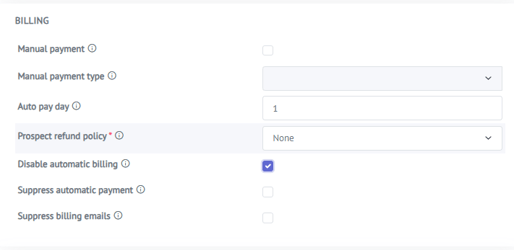
Locate the setting Disable Automatic Billing
-
Change the value to Yes
-
Save the changes
Result
Once Disable Automatic Billing is set to Yes:
-
Invoices will no longer be generated automatically for this customer
-
Existing invoices are not affected
-
Billing can be re-enabled at any time by setting the value back to No
Typical Use Cases
-
Special billing arrangements
-
Temporarily pausing billing
-
Manual or external billing handling
-
Resolving billing disputes
This setting provides a simple and controlled way to manage billing exceptions on a per-customer basis.