
How it works
When a customer's contract is proposed, any provisioning parameters on their addons are automatically applied to it. This means an addon can, for example, change which VLAN or service identifier a customer is provisioned on.
Example: switching to a static IP
An addon parameter can be set up to swap a customer from a regular service identifier to a static IP variant. When this happens, the existing contract is terminated and a new one is proposed automatically, no manual steps needed.
Adding, removing, or switching addons
Adding an addon, removing one, or switching between addon options during an active service triggers this provisioning update automatically.
Required parameters
Provisioning parameters can be marked as Required. If a required parameter is left unset, the system blocks the proposal and shows an error, rather than proposing an incomplete contract.
Where to configure it
Provisioning parameters are set up on the service addon itself, under the Provisioning parameters tab:
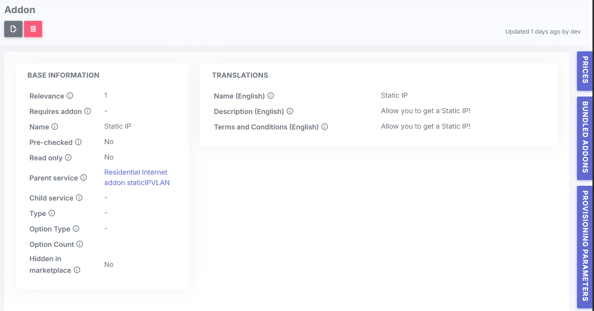
- Open the relevant Service Addon (found under the service version)
- Go to the Provisioning parameters tab
- Choose the provisioning parameter you want to use, for example Static IP Vlan.
- Click Edit on the parameter row to set the Fixed value to apply, for example 210, and to mark the parameter as Required if it should be mandatory. If a required parameter is left unset when a contract is proposed, the system will block it and show an error instead.

Once configured, the parameter is applied automatically whenever a customer is added to, removed from, or switched between addons that use it.
If you need help setting this up, please contact COS Support.