
Applies to:
Operators Open Access
Watch the Step by Step instructions in this demo
How to add a recurring fee to an ISP Wholesale Invoice
Solution Overview
A fee that is not related to an individual subscriber can be added as a wholesale invoice row. This is done from the Partner section in Business Engine Admin.
Step by Step Instructions
-
In Business Engine Admin, type in Partner in the global search field.
-
Select the ISP to which the fee should be added.
-
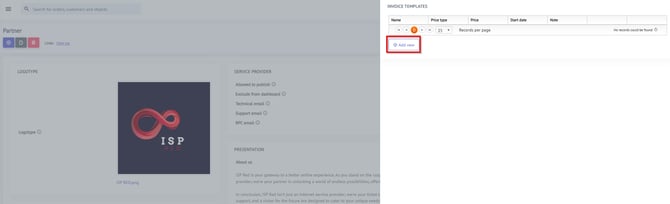
Click on the fly-in on your right hand side "Invoice Templates"
-
Under Invoice Templates press the button "Add New" to add a ned template.
-
Enter the information. The information in the field Name will be added as a description to the invoice row.
There is no stop date, meaning that if a recurring fee should no longer be added, the invoice template has to be removed.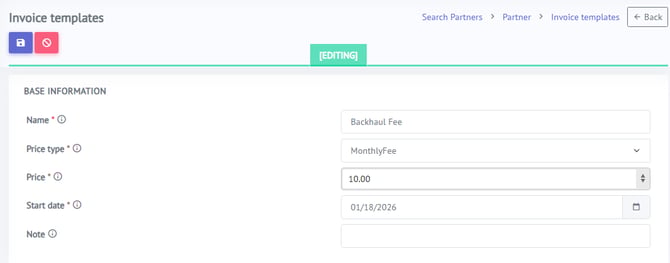
-
After you have filled in all necessary info click the "Save" button to save your invoice template.
Invoice data is processed on the first of each month.
You can view the fee you created by typing "Invoice" in the global search field in Business Engine Admin.
Click on the invoice for the ISP to which the fee was added.
The backhaul fee you just created is added as an invoice row.
Important: After reviewing the invoice and confirming that all details are correct, you must select “Close Invoice” to make the invoice available for the ISP to review.