
This applies if you bill end customers through Business Engine
How it works
You choose pre-paid billing per customer type. Every customer on that type pays for each monthly period in advance.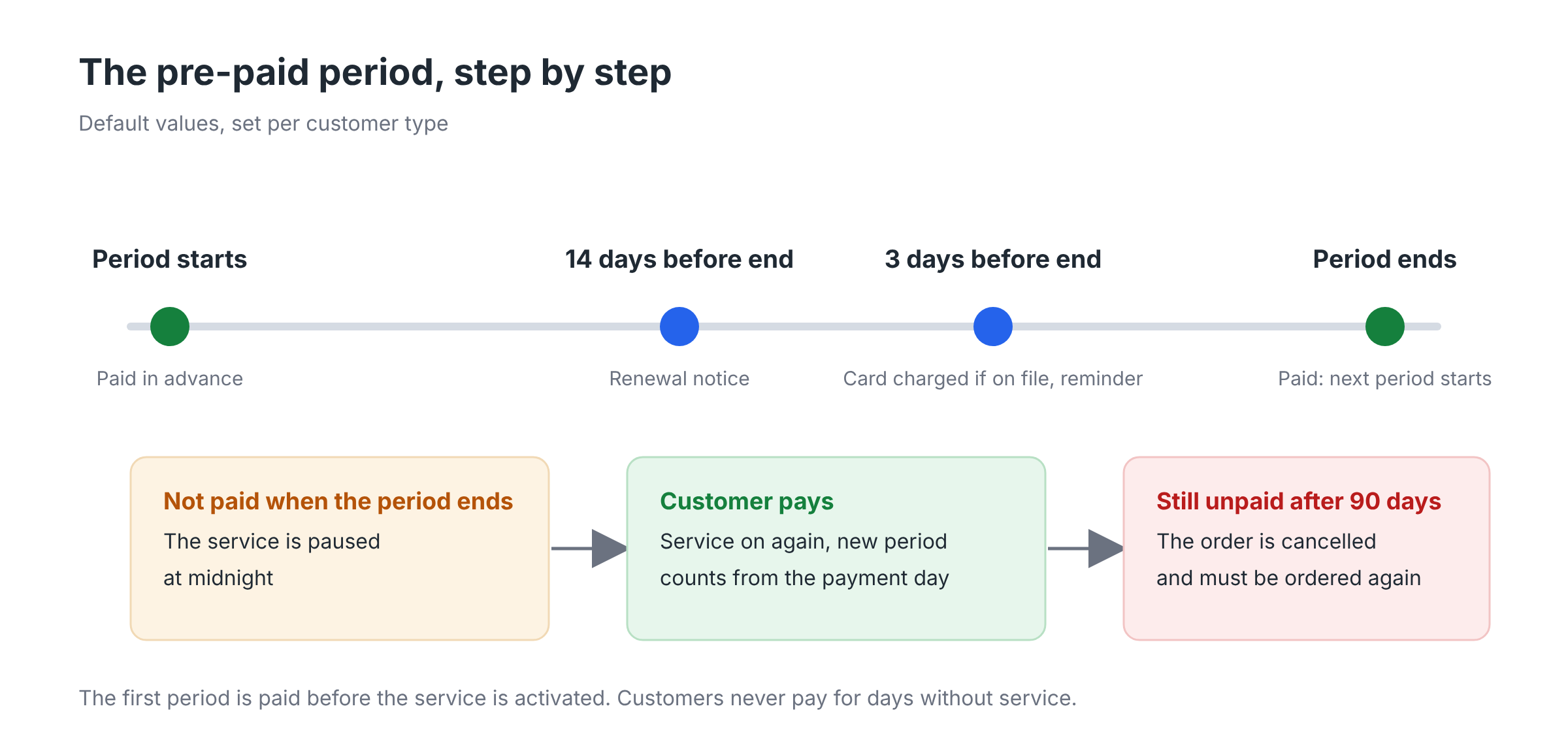
- The first payment starts the service. When a customer orders, the order waits until the first period is paid. As soon as the payment arrives, the order continues to activation. The activation date becomes the customer's billing day.
- A notice before each new period. 14 days before the period ends, the customer gets a notice with the amount and how to pay. A reminder follows 3 days before the end.
- Automatic payment by card. If the customer has a card on file, it is charged 3 days before the period ends. When the payment goes through, the reminder is not sent.
- The next period starts. A period paid on time starts on the same day of the month as before.
The number of days for the notice, the reminder and the automatic charge are set per customer type. The values above are the defaults.
If a period isn't paid
- The service is paused at midnight when the period ends.
- As soon as the customer pays, the service is turned on again and a new period starts from the payment day. The customer never pays for days without service.
- If the service has been paused for 90 days, the order is cancelled. A payment after that does not bring the service back, and the customer needs to place a new order.
What customers see in the marketplace
Under My account → Billing, customers see what they owe for each pre-paid service: the amount for the next period, when the current period ends, and whether it is already paid. From there they can:
- pay for the next period, or several periods ahead in one go
- add a card, which is charged straight away if a payment is due
- see that a service has been paused and pay to turn it on again
Customers who pay several periods ahead are charged once. Each period is still invoiced on its own start date.
What your team can do in Admin
- Charge now charges the customer's card for one or several periods.
- Register payment records a payment made in cash or outside Business Engine, for one or several periods.
- The list of unpaid pre-paid invoices shows which customers need a follow-up.
- A pre-paid order can be upgraded to another service.]
Good to know
- Pre-paid customers see their service in the new marketplace. The old customer portal does not show pre-paid information.
- When an order ends, money paid for future periods is returned to the customer as credit.
- A customer type can't be switched to pre-paid while it has unpaid invoices.
Get started
Contact COS support to set up pre-paid billing for a customer type. Together we go through the notice, reminder and charge days, and the texts in the notice emails.