In Business Engines Administration portal go to the Settings menu >Services > Price Types.
Klick on +New in order to create a new Price Type.
Price type: Used internally as an identifier to list price types in the Administration portal.
Type: Dropdown list with a set of predefined types. See dropdown options explained below.
Name (Swedish/English): Enter the name of the price type that will be used in the Administration portal and Marketplace.
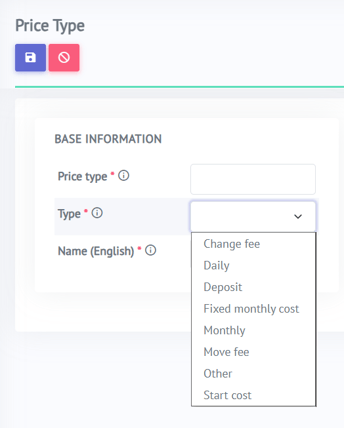
Type:
Change fee: Cost of changing services. Added to the invoice the month when the order is changed. To be counted as a change, the orders must be activated/deactivated within 24 hours of each other and have the same Network Service and Service provider.
Daily: Cost for each day the service is active.
Deposit: Costs that should be handled as deposits (for signups).
Fixed monthly cost: Cost that will be charged on a monthly basis, regardless of the number of days the service is active.
Monthly: Monthly rate (will be divided by 30 and multiplied by the number of days the service is active).
Move fee: Cost of moving a service from one object to another. Added to the invoice the month the order is moved.
Other: Could be used for manually added rows on the invoice, i.e., support costs.
Start cost: Start cost for a service. Charged once when the order is activated.
Price Types Overview
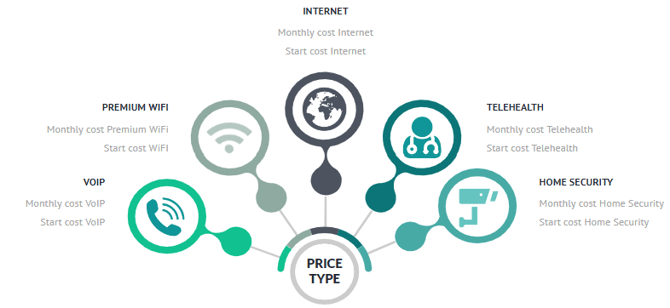
Price Types define how Services (end customer services) and Fees (wholesale costs) are priced. An example of a price type is a ‘one-time cost’ and ‘monthly cost.’ The price types control how the Services will be presented for the end customer. For a certain service definition (i.e., Internet) the Operator can specify that the Service provider must enter information for the price types (i.e., ‘Monthly cost’ and ‘Start cost’). The purpose is to promote free competition on equal terms in the network (in case of Open Access).
When COS BE is delivered, the basic price types are already created; Operators have the possibility to edit and create new price types.
In Business Engine you can find Price Types in the Services menu - Pricing
When using Single Provider billing, this is also where the tax codes are determined.
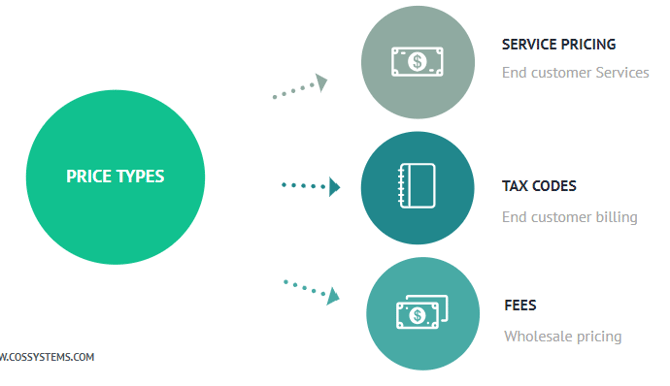
Every Price Type can have their own assigned tax code. You can define the different Price Types if it’s a recurring cost or a one time cost for the end user.