
Payment methods are only utilized if Business Engine subscriber billing is enabled.
Adding a Payment Method
You can add credit cards in BE Admin. You can also add ACH bank accounts if the setting Allow ACH in Admin is turned on. The setting is off by default.
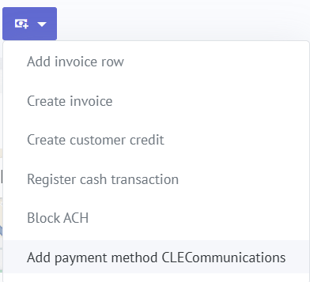
To add a payment method:
- Go to the Customer record
- Press Add payment method in the Billing Action dropdown.
- Enter the card or bank account details and click Save.
Card updates made in Stripe are synced to Business Engine automatically.
Removing a Payment Method
Operators can delete inactive payment cards from a customer's account, provided the card has no linked transactions. Active (default) cards and cards with transaction history cannot be removed.
To remove a payment method:
- Go to the Customer record
- Locate the payment method you wish to remove
- Select Delete — the option will only be available for eligible cards
